VPN
The VPN routes your traffic through our internal UniFi network, giving you a trusted office IP. Several services are locked to this IP and will deny access from any other origin.
Affected services
| Service | Notes |
|---|---|
| WP Admin on all brands | Blocked for external IPs |
| Business Central | All users in the Barberklingen ApS Azure AD group. Exclusions can be made by editing the conditional access policy "Block BC Outside Office" |
| SSH to Hetzner (WEB + DB servers) | — |
Backup VPN
In an emergency where the office VPN is unreachable, a fallback is available via a shared NordVPN account with a static IP of 185.183.55.9. Contact IT for access.
Prerequisites
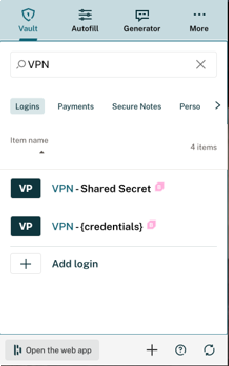
You need a personal VPN user account before you can connect. To request one, contact Nikolaj von Arenstorff. Once created, credentials are shared via Dashlane under:
| Dashlane item | Contains |
|---|---|
VPN - (credentials) | Your username and password |
VPN - Shared Secret | The shared secret for machine authentication |
Server address: 87.116.13.2
Creating a VPN user
User accounts are managed from the UniFi network dashboard. Follow the guide below: