VPN — iOS
iOS includes a built-in L2TP VPN client. No third-party app required.
Prerequisites
You need a VPN user account and credentials in Dashlane before starting. See the VPN overview for details.
Setup
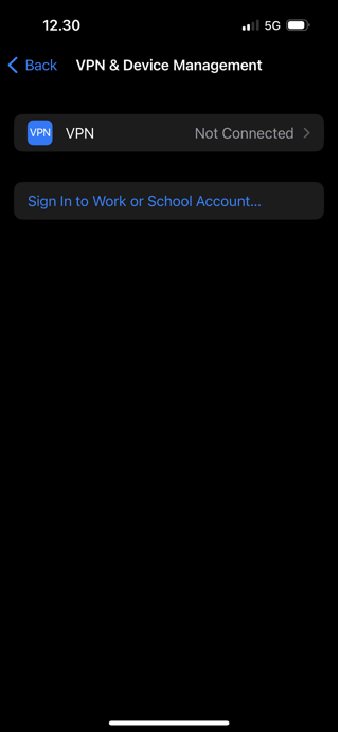
1. Open Settings → VPN & Device Management → tap VPN.
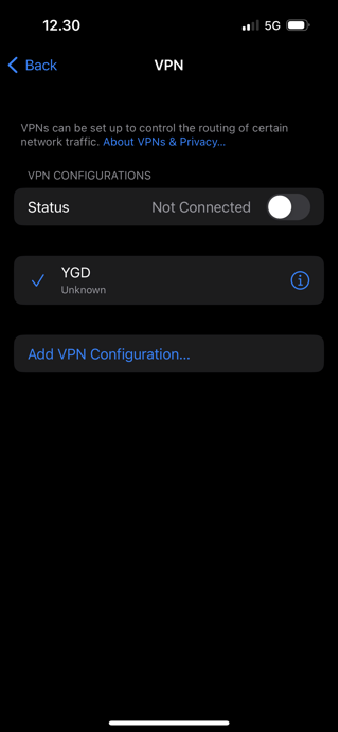
2. The VPN screen lists any existing configurations. Tap Add VPN Configuration.
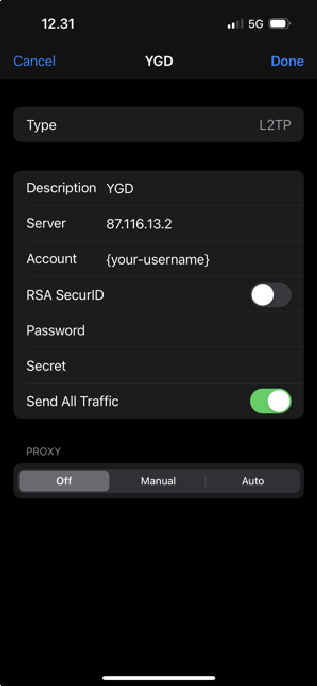
3. Fill in the connection details and tap Done:
| Field | Value |
|---|---|
| Type | L2TP |
| Description | Any name you like |
| Server | 87.116.13.2 |
| Account | Your VPN username (Dashlane → VPN credentials) |
| Password | Your VPN password (Dashlane → VPN credentials) |
| Secret | (Dashlane → VPN - Shared Secret) |
| RSA SecurID | Off |
| Send All Traffic | On |
Connecting
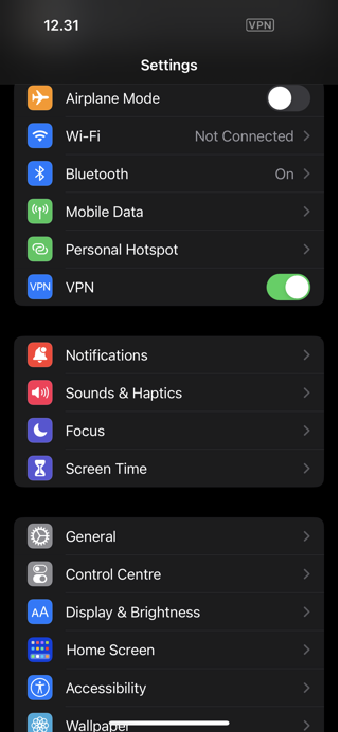
A VPN toggle appears on the main Settings screen. Tap it to connect or disconnect. When connected, a VPN badge appears in the status bar.